You buy the poster board. You buy the glittery stickers. You spend an hour drawing a grid. You sit your child down and explain the new system.
For three days, it works like magic. Your child brushes their teeth without being asked! They put their shoes away! You feel like you've cracked the parenting code.
Then, the chart falls behind the dresser. The stickers lose their stickiness. You forget to update it for a week, and suddenly, you're back to nagging.
Star charts are one of the oldest parenting tricks in the book because the psychology behind them is solid: visual positive reinforcement works. Kids—especially toddlers and preschoolers—struggle with abstract concepts like "being good." They need to see their progress. A gold star isn't just a sticker; it's a dopamine hit that says, "I did it!"
But in 2026, the best star charts have evolved. They don't just hang on a wall waiting to be ignored. They are interactive, portable, and designed to build lasting habits rather than just temporary compliance.
We researched and tested the top options to find the 5 best star charts that kids actually want to use. We skipped the complex banking apps to focus on what you asked for: simple, effective tools to encourage good behavior.
Top 5 Star Charts Comparison
1. Family Goals: Best Interactive Star Chart
Family Goals takes the top spot because it solves the biggest problem with traditional star charts: kids outgrow them. A toddler loves a sticker, but a 9-year-old thinks they are "for babies."
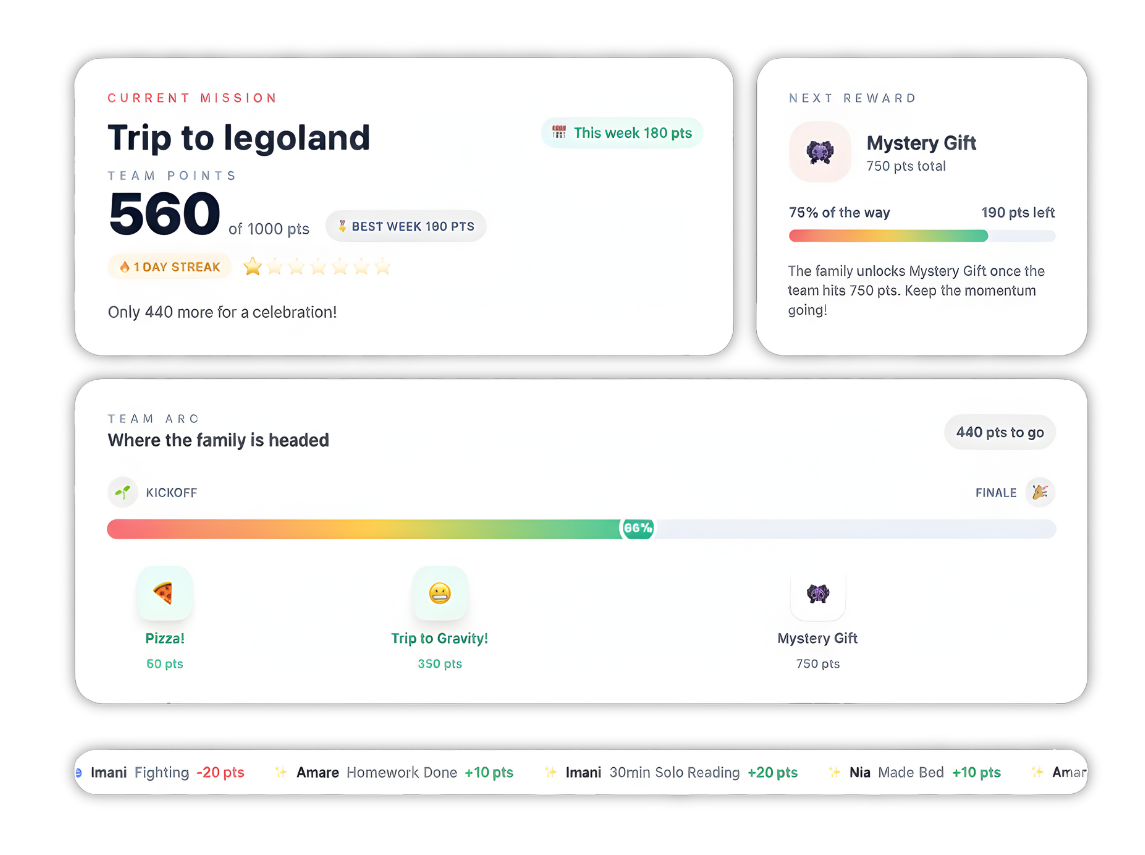
Family Goals is the only platform that changes as your child grows. It offers three distinct modes: a Digital Sticker Chart for the little ones (ages 2-7), a Behavior Chart for school-age kids (5-12), and an Allowance Tracker for teens (8+). You can switch between these modes instantly, meaning you don't have to start over with a new app every two years.
Key Features
- Digital Sticker Experience: This isn't just checking a box. Kids physically tap to place an animated sticker (like a gold star, diamond, or heart) onto their weekly calendar. It mimics the satisfaction of a real sticker chart but adds fun sounds and visual flair.
- Celebration Effects: When a child completes a task—like "Potty Training" or "No Whining"—the app celebrates with them. This immediate positive feedback loop is crucial for reinforcing new habits in young brains.
- Family Link Sharing: You can invite grandparents or other caregivers to view the chart. They can't change the rules, but they can see when your child earns a reward and send a message of encouragement. It takes the phrase "it takes a village" and makes it digital.
Pricing
Where Family Goals Shines
- Adaptability: Most apps force you into one specific method. Family Goals lets you start with a simple sticker chart for your 3-year-old and a complex points system for your 10-year-old, all under one login.
- Portability: Unlike a magnetic board, this chart goes with you. If your child behaves well at the grocery store, you can let them add a star right then and there. Immediate reinforcement is far more effective than waiting until you get home.
- Positive Focus: The entire system is built around "catching them being good." It encourages you to set custom rewards that aren't just material things—like "Pick the movie for movie night" or "Extra time at the park".
Where Family Goals Falls Short
- Requires a Device: To get the full interactive experience, your child needs to tap a screen. For families trying to go 100% screen-free, a physical board might be a better fit.
- Subscription Model: Unlike a one-time purchase of a poster, this is a service that grows with you, which means a small monthly cost.
Customer Reviews
Parents frequently mention the "peace of mind" the app brings. One mom mentioned, "It changed our morning routine from a screaming match to a game my 5-year-old wants to win." Another review highlighted the Family Link feature: "Grandma loves seeing the kids get their gold stars even though she lives three hours away."
Who Family Goals Is Best For
Family Goals is the ideal choice for families who want a long-term solution. If you want a tool that starts simple but can handle allowance and complex chores as your kids get older, this is the one to get.
2. Star Reward Charts: Best for Simplicity
Sometimes, you don't need a full family management system. You just need a place to put stars. Star Reward Charts is a dedicated app that focuses entirely on that single "earn a star" mechanic.
It's colorful, loud, and incredibly simple. You set a task, assign a number of stars to it, and let your kid tap the button.
Key Features
- Customizable Avatars: This is a huge hit with kids. They can build their own character with millions of combinations—glasses, hats, different body types. It gives them a sense of ownership over their chart.
- Targeted Focus: The app was designed by a parent specifically to help with focus and motivation. It includes features like a "Beat the Clock" timer to turn tidying up into a race.
- Pocket Money Mode: Recently, they added a mode that allows you to assign a monetary value to stars. It's a nice stepping stone for older kids who are starting to understand the value of money.
Pricing
- Free Version: Includes basic features and charts.
- Premium: Offers a "Star Pass" (around $4.99) to unlock unlimited charts and remove ads.
Where Star Reward Charts Shines
- Gamification: The avatars and sound effects make it feel very much like a game. For kids who are reluctant to engage with a "boring" chart, this can be the hook they need.
- Specific Features: The "Beat the Clock" feature is brilliant for dawdlers. If your child takes 20 minutes to put on one sock, turning it into a timed challenge can work wonders.
Where Star Reward Charts Falls Short
- Limited Scope: It is strictly a reward chart. It doesn't handle complex schedules, family calendars, or detailed allowance tracking as well as other apps.
- In-App Purchases: The free version is good, but you will likely hit a wall where you need to pay to add more tasks or kids.
Customer Reviews
Reviews on the App Store are generally positive, with a 4.5-star rating. Parents love the avatars: "My son loves creating his monster and seeing it cheer for him." However, some users wish for more flexibility in editing tasks after they are created.
Who Star Reward Charts Is Best For
Star Reward Charts is best for families who want a digital replacement for the fridge chart. It's perfect if you want something fun and simple without a monthly subscription commitment for the basic version.
3. Melissa & Doug Magnetic Responsibility Chart: Best Screen-Free Option
For many families, the answer to "too much screen time" is not "another app." The Melissa & Doug Magnetic Responsibility Chart is a classic for a reason. It is a sturdy, wooden board that hangs on your wall and uses high-quality magnets.
It serves as a central "command center" for the house. Because it is always visible, it acts as a constant reminder of expectations for everyone in the family.
Key Features
- 90+ Magnets: It comes loaded with pre-printed magnets for common behaviors ("No Teasing," "Share," "Brush Teeth") and chores ("Clean Room," "Set Table"). It also includes blank magnets you can write on with a dry-erase marker.
- Dual-Board Design: The board is hinged. The top half is the active chart for the week, while the bottom half stores all the unused magnets. This keeps pieces from getting lost—a common plague of physical charts.
- Tangible Rewards: There is a specific satisfaction in physically moving a magnet from the storage area to the "Success" column that a touchscreen just can't replicate.
Pricing
- Approx. $25 - $30: A one-time purchase available at major retailers.
Where Melissa & Doug Shines
- Visibility: You can't swipe this chart away. It hangs in the kitchen or hallway, providing "visual praise" every time your child walks by and sees a row of full magnets.
- Durability: Made of wood, it holds up much better than flimsy paper charts or sticker books. The magnets are thick and easy for small hands to grab.
- No Tech Needed: No Wi-Fi, no batteries, no updates. It just works.
Where Melissa & Doug Falls Short
- Not Portable: If your child throws a tantrum at the park, you can't pull out the board to remind them of their goals. You have to wait until you get home, by which time the "teachable moment" might be lost.
- Fixed Options: While you can write on the blank magnets, you are largely limited to the size and shape of the board. You can't easily add 20 new tasks if the board only has 7 slots.
Customer Reviews
With thousands of 5-star reviews, parents call this a "lifesaver." One review noted, "My 3-year-old drags me to the board to show me he brushed his teeth." A common critique is that the magnets can be a choking hazard for very young siblings, so placement is key.
Who Melissa & Doug Is Best For
This is the best choice for families with toddlers or preschoolers who respond well to physical objects and want to keep technology out of their daily routine.
4. ClassDojo: Best for School Consistency
If your child is in elementary school, there is a good chance you already have ClassDojo on your phone. Teachers use it to award points for participation and good behavior.
But did you know you can use it at home, too? "ClassDojo for Families" allows you to extend that same system to your living room.
Key Features
- The Monster System: The "Dojo Monsters" are iconic. Kids love customizing their little blob-like avatars. When they earn a point, the monster reacts, which is surprisingly delightful.
- Home Points: You can set up your own categories for home, like "Homework," "Kindness," or "Chores." These points live in a separate "bucket" from school points, so you don't mess up their teacher's data.
- ClassDojo Plus: The premium version gives you detailed reports on your child's behavior trends and unlocks more customization options for their monster.
Pricing
- Free: The core features, including giving home points, are free.
- ClassDojo Plus: ~$7.99/month (varies by region) for advanced reports and memories.
Where ClassDojo Shines
- Continuity: Using the same system at home and school creates a seamless environment. Your child already knows the rules: "Good behavior equals Dojo point." You don't have to teach them a new currency.
- Engagement: Because they see their friends' monsters at school, they are already invested in the ecosystem.
Where ClassDojo Falls Short
- School Dependent: If your child's teacher doesn't use ClassDojo, or stops using it next year, the appeal drops significantly.
- Limited "Chart" View: It's more of a points tally than a weekly calendar view. It doesn't give that same "filling up the row" visual satisfaction that a traditional star chart does.
Customer Reviews
Parents love the connection to the classroom. "I love that I can see what he earned points for at school and then add a point for doing his homework right after," says one user. However, some parents feel the "Plus" features are pushed too aggressively in the app.
Who ClassDojo Is Best For
ClassDojo is perfect for school-age kids (ages 6-10) who are already using and loving the app in their classroom.
5. Choiceworks: Best for Visual Routines
Choiceworks isn't a traditional star chart, but for many children—especially those who are neurodivergent—it is infinitely better.
A star chart rewards the result (Clean Room). Choiceworks helps the child navigate the process (Pick up toys -> Put books on shelf -> Put clothes in hamper). It is a powerful visual schedule tool used by therapists and teachers worldwide.
Key Features
- Visual Schedule Board: You create a sequence of images. As the child finishes a task, they slide the image over to the "All Done" column. It's incredibly satisfying and provides a clear beginning, middle, and end to a routine.
- Waiting Board: This is a game-changer. It helps teach patience by giving a visual timer and showing the child what they can do while they wait (e.g., "Read a book" while waiting for "Dinner").
- Feelings Board: This feature helps kids identify their emotions ("I feel frustrated") and choose a coping strategy ("I can take a deep breath"). This addresses the root cause of behavior rather than just rewarding the outcome.
Pricing
- ~$24.99: A one-time purchase on the App Store. There is also a "Lite" version to try out.
Where Choiceworks Shines
- Clarity: For kids with autism, ADHD, or anxiety, the world can feel chaotic. Choiceworks provides structure. It answers the questions "What do I do now?" and "What comes next?" without you having to repeat yourself.
- Customization: You can upload your own photos. This means the "Brush Teeth" icon can be a picture of their actual toothbrush, which helps with recognition.
Where Choiceworks Falls Short
- High Upfront Cost: It is one of the more expensive apps on this list, though it has no monthly fees.
- Not a "Reward" Chart: It doesn't focus on accumulating points for a prize. It focuses on task completion. You might need to pair it with a separate reward system if motivation is the main issue.
Customer Reviews
The reviews are incredibly touching. Many parents describe it as the only tool that prevented daily meltdowns. "My non-verbal son brings me the iPad to show me he is ready for his snack routine," shared one parent. It has a 4.8-star rating for a reason.
Who Choiceworks Is Best For
Choiceworks is the best choice for neurodivergent kids or any child who struggles with transitions, routines, and emotional regulation.
How to Choose the Right Star Chart for Your Family
A quick search on Amazon gives you 5,000 results for "star chart." How do you pick? Here is the cheat sheet.
1. Match the Chart to the Age
- Toddlers (2-4): They need immediate feedback. A weekly point total means nothing to them. They need a sticker (digital or physical) the second they use the potty. Family Goals (Sticker Mode) or Melissa & Doug are best here.
- School Age (5-9): They can handle a longer game. They understand that 10 stars = a Toy. They also care about "cool" factors like avatars. Family Goals (Points Mode) or Star Reward Charts work well.
- Tweens (10+): They don't want stickers. They want autonomy (and probably money). Move them to an allowance tracker.
2. Digital vs. Analog
- Go Analog (Melissa & Doug) if you want a central family hub and want to avoid screens. It's great for "visual praise"—letting the child show off their chart to visitors.
- Go Digital (Family Goals) if you are always on the go. If behavioral issues happen at the supermarket or grandma's house, you need a chart in your pocket. Consistency is the #1 factor in behavior modification, and digital apps make consistency easier.
3. Routine vs. Reward
- Does your child know how to clean their room but just doesn't want to? You need a Reward Chart (Family Goals, Star Reward Charts) to boost motivation.
- Does your child stare blankly when you say "get ready for school"? They might not know the steps. You need a Routine Chart (Choiceworks) to break it down visually.
4. The "Why" Matters
Psychologists warn that over-using rewards can kill "intrinsic motivation" (doing good because it feels good). To avoid this:
- Don't reward everything. Pick 2-3 specific behaviors to focus on at a time.
- Phase it out. Once a habit is formed (e.g., they brush their teeth automatically), stop rewarding it and move the star to a new challenge.
- Reward the effort, not just the result. If they tried really hard to stay calm but failed, acknowledge the effort.
What's Next?
The goal of a star chart isn't to bribe your children into submission. It's to make expectations clear and celebrate their success.
If you have a child who needs deep structural support to get through the day, Choiceworks is an investment that will pay off in peace of mind. If you want a screen-free way to center your family, the Melissa & Doug board is a beautiful tool.
But if you want a system that is fun, portable, and grows with your child from the "potty training" years all the way to the "allowance" years, Family Goals is the clear winner for 2026. It combines the best of behavioral psychology with an interface kids actually love.
Ready to turn those daily battles into high-fives?
Top 5 Star Charts Comparison
1. Family Goals: Best Interactive Star Chart
Key Features
- Digital Sticker Experience: This isn't just checking a box. Kids physically tap to place an animated sticker (like a gold star, diamond, or heart) onto their weekly calendar. It mimics the satisfaction of a real sticker chart but adds fun sounds and visual flair.
- Celebration Effects: When a child completes a task—like "Potty Training" or "No Whining"—the app celebrates with them. This immediate positive feedback loop is crucial for reinforcing new habits in young brains.
- Family Link Sharing: You can invite grandparents or other caregivers to view the chart. They can't change the rules, but they can see when your child earns a reward and send a message of encouragement. It takes the phrase "it takes a village" and makes it digital.
Pricing
| Plan | Cost | Billing |
|---|---|---|
| Free Trial | $0 | 7 Days (Full Access) |
| Monthly | $5.00 | Billed Monthly |
| Annual | $50.00 | Billed Yearly (Save 17%) |
Where Family Goals Shines
- Adaptability: Most apps force you into one specific method. Family Goals lets you start with a simple sticker chart for your 3-year-old and a complex points system for your 10-year-old, all under one login.
- Portability: Unlike a magnetic board, this chart goes with you. If your child behaves well at the grocery store, you can let them add a star right then and there. Immediate reinforcement is far more effective than waiting until you get home.
- Positive Focus: The entire system is built around "catching them being good." It encourages you to set custom rewards that aren't just material things—like "Pick the movie for movie night" or "Extra time at the park".
Where Family Goals Falls Short
- Requires a Device: To get the full interactive experience, your child needs to tap a screen. For families trying to go 100% screen-free, a physical board might be a better fit.
- Subscription Model: Unlike a one-time purchase of a poster, this is a service that grows with you, which means a small monthly cost.
Customer Reviews
Who Family Goals Is Best For
Start Your 7-Day Free Family Goals Trial
Transform daily battles into high-fives with our interactive star chart system that grows with your child.
Interactive Sticker Chart
Click to place stickers!




2. Star Reward Charts: Best for Simplicity
Key Features
- Customizable Avatars: This is a huge hit with kids. They can build their own character with millions of combinations—glasses, hats, different body types. It gives them a sense of ownership over their chart.
- Targeted Focus: The app was designed by a parent specifically to help with focus and motivation. It includes features like a "Beat the Clock" timer to turn tidying up into a race.
- Pocket Money Mode: Recently, they added a mode that allows you to assign a monetary value to stars. It's a nice stepping stone for older kids who are starting to understand the value of money.
Pricing
- Free Version: Includes basic features and charts.
- Premium: Offers a "Star Pass" (around $4.99) to unlock unlimited charts and remove ads.
Where Star Reward Charts Shines
- Gamification: The avatars and sound effects make it feel very much like a game. For kids who are reluctant to engage with a "boring" chart, this can be the hook they need.
- Specific Features: The "Beat the Clock" feature is brilliant for dawdlers. If your child takes 20 minutes to put on one sock, turning it into a timed challenge can work wonders.
Where Star Reward Charts Falls Short
- Limited Scope: It is strictly a reward chart. It doesn't handle complex schedules, family calendars, or detailed allowance tracking as well as other apps.
- In-App Purchases: The free version is good, but you will likely hit a wall where you need to pay to add more tasks or kids.
Customer Reviews
Who Star Reward Charts Is Best For
3. Melissa & Doug Magnetic Responsibility Chart: Best Screen-Free Option
Key Features
- 90+ Magnets: It comes loaded with pre-printed magnets for common behaviors ("No Teasing," "Share," "Brush Teeth") and chores ("Clean Room," "Set Table"). It also includes blank magnets you can write on with a dry-erase marker.
- Dual-Board Design: The board is hinged. The top half is the active chart for the week, while the bottom half stores all the unused magnets. This keeps pieces from getting lost—a common plague of physical charts.
- Tangible Rewards: There is a specific satisfaction in physically moving a magnet from the storage area to the "Success" column that a touchscreen just can't replicate.
Pricing
- Approx. $25 - $30: A one-time purchase available at major retailers.
Where Melissa & Doug Shines
- Visibility: You can't swipe this chart away. It hangs in the kitchen or hallway, providing "visual praise" every time your child walks by and sees a row of full magnets.
- Durability: Made of wood, it holds up much better than flimsy paper charts or sticker books. The magnets are thick and easy for small hands to grab.
- No Tech Needed: No Wi-Fi, no batteries, no updates. It just works.
Where Melissa & Doug Falls Short
- Not Portable: If your child throws a tantrum at the park, you can't pull out the board to remind them of their goals. You have to wait until you get home, by which time the "teachable moment" might be lost.
- Fixed Options: While you can write on the blank magnets, you are largely limited to the size and shape of the board. You can't easily add 20 new tasks if the board only has 7 slots.
Customer Reviews
Who Melissa & Doug Is Best For
4. ClassDojo: Best for School Consistency
Key Features
- The Monster System: The "Dojo Monsters" are iconic. Kids love customizing their little blob-like avatars. When they earn a point, the monster reacts, which is surprisingly delightful.
- Home Points: You can set up your own categories for home, like "Homework," "Kindness," or "Chores." These points live in a separate "bucket" from school points, so you don't mess up their teacher's data.
- ClassDojo Plus: The premium version gives you detailed reports on your child's behavior trends and unlocks more customization options for their monster.
Pricing
- Free: The core features, including giving home points, are free.
- ClassDojo Plus: ~$7.99/month (varies by region) for advanced reports and memories.
Where ClassDojo Shines
- Continuity: Using the same system at home and school creates a seamless environment. Your child already knows the rules: "Good behavior equals Dojo point." You don't have to teach them a new currency.
- Engagement: Because they see their friends' monsters at school, they are already invested in the ecosystem.
Where ClassDojo Falls Short
- School Dependent: If your child's teacher *doesn't* use ClassDojo, or stops using it next year, the appeal drops significantly.
- Limited "Chart" View: It's more of a points tally than a weekly calendar view. It doesn't give that same "filling up the row" visual satisfaction that a traditional star chart does.
Customer Reviews
Who ClassDojo Is Best For
5. Choiceworks: Best for Visual Routines
Key Features
- Visual Schedule Board: You create a sequence of images. As the child finishes a task, they slide the image over to the "All Done" column. It's incredibly satisfying and provides a clear beginning, middle, and end to a routine.
- Waiting Board: This is a game-changer. It helps teach patience by giving a visual timer and showing the child what they can do *while* they wait (e.g., "Read a book" while waiting for "Dinner").
- Feelings Board: This feature helps kids identify their emotions ("I feel frustrated") and choose a coping strategy ("I can take a deep breath"). This addresses the root cause of behavior rather than just rewarding the outcome.
Pricing
- ~$24.99: A one-time purchase on the App Store. There is also a "Lite" version to try out.
Where Choiceworks Shines
- Clarity: For kids with autism, ADHD, or anxiety, the world can feel chaotic. Choiceworks provides structure. It answers the questions "What do I do now?" and "What comes next?" without you having to repeat yourself.
- Customization: You can upload your own photos. This means the "Brush Teeth" icon can be a picture of *their* actual toothbrush, which helps with recognition.
Where Choiceworks Falls Short
- High Upfront Cost: It is one of the more expensive apps on this list, though it has no monthly fees.
- Not a "Reward" Chart: It doesn't focus on accumulating points for a prize. It focuses on task completion. You might need to pair it with a separate reward system if motivation is the main issue.
Customer Reviews
Who Choiceworks Is Best For
How to Choose the Right Star Chart for Your Family
1. Match the Chart to the Age
- Toddlers (2-4): They need immediate feedback. A weekly point total means nothing to them. They need a sticker (digital or physical) the *second* they use the potty. Family Goals (Sticker Mode) or Melissa & Doug are best here.
- School Age (5-9): They can handle a longer game. They understand that 10 stars = a Toy. They also care about "cool" factors like avatars. Family Goals (Points Mode) or Star Reward Charts work well.
- Tweens (10+): They don't want stickers. They want autonomy (and probably money). Move them to an allowance tracker.
2. Digital vs. Analog
- Go Analog (Melissa & Doug) if you want a central family hub and want to avoid screens. It's great for "visual praise"—letting the child show off their chart to visitors.
- Go Digital (Family Goals) if you are always on the go. If behavioral issues happen at the supermarket or grandma's house, you need a chart in your pocket. Consistency is the #1 factor in behavior modification, and digital apps make consistency easier.
3. Routine vs. Reward
- Does your child know *how* to clean their room but just doesn't want to? You need a Reward Chart (Family Goals, Star Reward Charts) to boost motivation.
- Does your child stare blankly when you say "get ready for school"? They might not know the steps. You need a Routine Chart (Choiceworks) to break it down visually.
4. The "Why" Matters
- Don't reward everything. Pick 2-3 specific behaviors to focus on at a time.
- Phase it out. Once a habit is formed (e.g., they brush their teeth automatically), stop rewarding it and move the star to a new challenge.
- Reward the effort, not just the result. If they tried really hard to stay calm but failed, acknowledge the effort.
What's Next?
Get Started with Family Goals Today
Join thousands of families who've transformed daily battles into high-fives with our award-winning star chart system.
Interactive Sticker Chart
Click to place stickers!