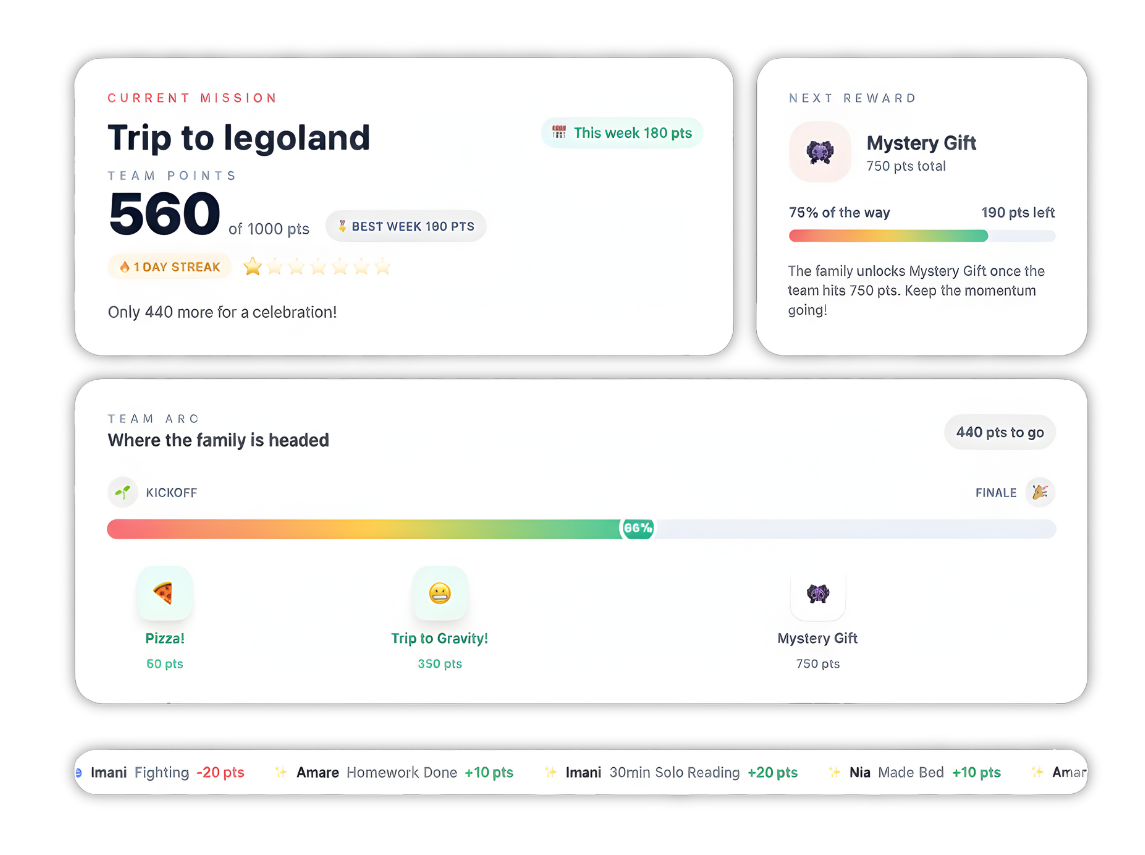
- Best Overall for Habits & Behavior: Family Goals. The most adaptable system that evolves with your child—from toddler sticker charts to teen allowance tracking.
- Best for Neurodivergent Kids: Joon. Uses an AI pet companion and gamification to help kids with ADHD or autism stay focused.
- Best for Financial Literacy: Greenlight. Ideal for teaching kids how to handle real money with a safe debit card and investment tools.
- Best for Large Families: S'moresUp. Powered by "ChoreAI" to manage complex schedules and assign tasks automatically across multiple children.
The best behavior charts for 2026 have evolved. They aren't just checklists anymore; they are smart, engaging tools that live on the devices we use every day. We tested and reviewed the top 7 options to help you find the one that turns "have to" into "want to."
It starts with a simple request: "Please put your shoes away." Then a reminder. Then a warning. Before you know it, you're stuck in a loop of nagging that leaves everyone frustrated.
Top 7 Behavior Chart Apps Comparison
- Family Goals: Best for Building Habits
Family Goals earns the top spot because it solves the biggest problem with behavior apps: kids grow up. A system that works for a 4-year-old won't work for a 12-year-old. Family Goals handles this by giving you three distinct modes in one app.
You get a digital sticker chart for toddlers, a points system for school-age kids, and an allowance tracker for teens. You can switch between them instantly without losing your data.
Key Features
- 3 Core Dashboard Modes:
- Digital Sticker Chart (Ages 2-7): Kids tap to place animated stickers like gold stars or diamonds on a weekly calendar. It uses fun sounds and visual effects to make small wins feel huge.
- Behavior Chart System (Ages 5-12): Focuses on earning points. Children trade points for custom rewards you create, like a movie night or a new game.
- Pocket Money Manager (Ages 8+): Shifts focus to financial responsibility. It tracks spending versus saving and connects tasks to earnings.
- Unlimited Children: You can add every sibling to one account, each with a dashboard tailored to their specific age.
- Family Link Sharing: Grandparents and extended family can view progress securely. They can see when your child hits a milestone and send encouragement, building a supportive village around your kids.
Pricing
Where Family Goals Shines
- Adaptability: It effectively bridges the gap between developmental stages. You won't need to hunt for a new app when your toddler starts reading; you just switch modes.
- Positive Reinforcement: The app is built on science-based positivity. Features like "celebration effects" focus on catching your child doing good, which builds intrinsic motivation better than punishment.
- Free Resources: They offer a huge library of extra tools, from reading plan generators to printable safety quizzes.
Where Family Goals Falls Short
- No Physical Card: While it teaches budgeting perfectly, it doesn't issue a physical debit card for store purchases like Greenlight does.
- Screen Interaction: The interactive sticker chart is best experienced on a tablet or phone, which requires some screen time for younger kids.
Customer Reviews
Parents frequently mention the "peace of mind" they get from having a consistent system. One user noted how the visual feedback turned their chaotic morning routine into a fun game their 5-year-old actually wants to play.
Who Family Goals Is Best For
Family Goals is the ideal choice for families who want a complete parenting tool that prioritizes better behavior and habits over simple chore tracking.
- Greenlight: Best for Financial Literacy
Greenlight is a powerhouse for families who want to link behavior directly to money. While primarily a banking app, it includes chore tracking features that allow you to unlock allowance only when tasks are done.
Key Features
- Debit Card Integration: Kids get a physical prepaid debit card they can use at stores. You have total control over where it works.
- Family Shield (2025): A newer feature that adds safety protections, including location tracking, SOS alerts, and even fraud protection for grandparents.
- Investment Platform: Older kids can learn to invest in stocks with parental approval, turning their chore money into a long-term lesson.
Pricing
Where Greenlight Shines
- Real-World Skills: Using a real card teaches financial literacy faster than any simulation.
- Safety Features: The new 2025 updates like crash detection and location tracking make it a safety tool as well as a financial one.
Where Greenlight Falls Short
- Pricey: To get the best features, the monthly cost is higher than most other apps on this list.
- Limited Behavior Tracking: It's great for "do chore, get paid," but less effective for tracking non-monetary behaviors like "be kind to your sister."
Customer Reviews
Users love the instant transfer feature but some parents of younger kids (under 8) find the banking features too advanced for their needs.
Who Greenlight Is Best For
Greenlight is best for parents of tweens and teens who are ready to manage real money and want safety features included.
3. Joon: Best for Neurodivergent Kids
If you have a child with ADHD, autism, or just a very active imagination, a standard checklist might be boring. Joon turns daily life into a video game.
Key Features
- Gamified Tasks: Completing a real-life chore (like brushing teeth) levels up a virtual pet called a "Doter" inside the game.
- AI Pet Companion: The app uses smart features to remind kids of tasks through their pet, making the reminder feel like it's coming from a friend, not a parent.
- Quests: You assign "Quests" (chores). Your child must complete them to feed and care for their pet.
Pricing
- Monthly: ~$12.99/mo
- Yearly: ~$89.99/yr (Pricing varies by region/promotions).
Where Joon Shines
- Engagement: It is incredibly effective for kids who struggle with focus. The immediate in-game reward provides the dopamine hit they need to stay motivated.
- AI Integration: The new AI features help personalize recommendations based on your child's interests.
Where Joon Falls Short
- Cost: It is one of the more expensive options solely for behavior tracking.
- Game Distraction: For some kids, the game itself can become the focus rather than the chores, though the app tries to balance this.
Customer Reviews
Parents often call it a "game changer" for ADHD, noting that kids who used to refuse chores now wake up early to complete "quests".
Who Joon Is Best For
Joon is best for kids with ADHD or neurodivergence who need high stimulation and gamification to stay on track.
4. RoosterMoney: Best for Simplicity
RoosterMoney (by NatWest) is a fantastic middle-ground. It starts as a simple star chart for little ones and graduates to a pocket money tracker for older kids.
Key Features
- Star Chart: Young kids earn stars for good behavior. These can be traded for rewards without involving any money.
- Virtual Money Tracker: You can track allowance digitally without connecting a bank account. It acts like a fridge ledger.
- Rooster Card: In the UK (and select regions), you can upgrade to a prepaid Visa card.
Pricing
Where RoosterMoney Shines
- Simplicity: The interface is clean and easy for a 5-year-old to understand.
- Free Version: The basic version is robust enough for many families who just want to track stars or virtual dollars.
Where RoosterMoney Falls Short
- Paywalls: Advanced chore features (like repeating chores) often require the paid "PLUS" subscription.
- UK Focus: The physical card features are most robust for UK users, though the app works globally.
Customer Reviews
Parents appreciate the "Pots" feature which helps kids separate money for saving and spending.
Who RoosterMoney Is Best For
RoosterMoney is best for families with younger children (under 10) who want a simple, low-stress entry into chores and rewards.
5. S'moresUp: Best for Large Families
Managing one child's schedule is hard. Managing four is a logistical nightmare. S'moresUp was built to manage the chaos of larger households.
Key Features
- ChoreAI: This smart feature can auto-assign and rotate chores among family members, saving you the headache of deciding whose turn it is to do the dishes.
- Community: It has a built-in social network (Family Campfires) where you can connect with other parents for tips and playdates.
- TeenSpirit (New): A companion app launched recently to help teens manage mental health and life skills alongside their chores.
Pricing
- Free: Basic chores (includes 45-day premium trial).
- Premium: $4.99/mo for advanced scheduling.
Where S'moresUp Shines
- Scheduling Power: If your family life involves complex rotations of tasks, the ChoreAI handles it beautifully.
- Collaboration: It creates a "family team" vibe rather than just a parent-boss vibe.
Where S'moresUp Falls Short
- Complexity: With community features, calendars, and chores all in one place, it has a steeper learning curve than Family Goals or RoosterMoney.
Customer Reviews
Users love the calendar integration but some mention the interface can feel cluttered due to the sheer number of features.
Who S'moresUp Is Best For
S'moresUp is best for large families or those with complex shared custody schedules that need robust organization.
6. Habitica: Best for Teens & Gamers
Habitica takes your life and turns it into a Role-Playing Game (RPG). It is perfect for teenagers who have outgrown "star charts" but still love gaming.
Key Features
- RPG Avatar: Your child creates a pixel-art character. Doing chores (like "Finish Homework") earns Gold and XP to upgrade their armor and weapons.
- Boss Battles: Families can form a "party." If you don't do your chores, the boss attacks the whole group. This creates positive peer pressure.
- Dailies vs. Habits: It distinguishes between things you must do today (Dailies) and general good behaviors (Habits).
Pricing
- Free: Core game is free.
- Subscription: Optional ~$5/mo for cosmetic items (cool armor, pets).
Where Habitica Shines
- Teen Appeal: It doesn't feel like a "baby app." The retro 8-bit style appeals to older kids and even adults.
- Accountability: The "party" system motivates kids not to let their team down.
Where Habitica Falls Short
- Complexity: It can be overwhelming for young kids or non-gamers. There is a lot of text and stats.
- Cheating: It's easy to just check off a box without doing the task since there is no parent approval mode by default.
Customer Reviews
Reviews highlight that it is addictive in a good way, often helping users build habits they've struggled with for years.
Who Habitica Is Best For
Habitica is best for teens (13+) and gaming families who want a fun, self-driven way to track tasks.
7. Cozi: Best for Organization
Cozi is the "original" family organizer. While it is less of a behavior chart and more of a family command center, it remains a top choice for 2026 because of how well it organizes the parents.
Key Features
- Color-Coded Calendar: Assign a color to every family member to see who needs to be where instantly.
- Shared Lists: Create a "Saturday Chores" list that anyone can view and check off.
- Recipe Box: Keeps dinner plans and grocery lists in the same app.
Pricing
- Free: Ad-supported.
- Gold: $29.99/yr (Ad-free + extra features).
Where Cozi Shines
- Central Hub: It keeps appointments, groceries, and tasks in one single app.
- Accessibility: Works on any phone, tablet, or computer seamlessly.
Where Cozi Falls Short
- Zero Gamification: There are no points, no sounds, and no rewards. It is a tool for organization, not motivation.
Customer Reviews
Families call it the "brain" of their household, essential for logistics but not great for motivating reluctant kids to clean their rooms.
Who Cozi Is Best For
Cozi is best for parents who need a master schedule and prefer a simple list over points and games.
How to Choose the Right Behavior Chart
Finding the right tool depends on your child's personality and your family's goals. Here are the three main factors to consider.
1. Match the "Currency" to the Child
What motivates your child?
- Visuals (Ages 3-6): They need to see the reward. Apps like Family Goals (Sticker Mode) or RoosterMoney work best.
- Games (Ages 7-12): They want fun and competition. Joon or Family Goals (Points Mode) are ideal.
- Money/Autonomy (Ages 13+): They want freedom. Greenlight or Habitica respect their independence.
Top Tip: Family Goals is the only app on this list that covers all three "currencies" (Stickers, Points, and Money) in a single subscription.
2. Consistency is Key
The best chart is the one you actually use. Complex apps like S'moresUp are powerful, but if they take too long to set up, you might abandon them.
- Look for an app that allows you to approve tasks quickly from your phone.
- Ensure it has a "nag" feature (notifications) that reminds the child, not you.
3. Focus on the "Why"
Are you trying to track chores (clean room) or build character (be kind)?
- Banking apps like Greenlight are great for chores but struggle with character.
- Behavior apps like Family Goals or Joon allow you to reward intangible things like "sharing with sister" or "trying a new food."
Top Tip: With Family Goals, the focus is on "Positive Reinforcement." You can create custom rewards for behaviors, not just tasks, helping you raise a kind kid, not just a clean one.
What's Next?
Building better habits is a marathon, not a sprint. The right tool acts as your training partner, keeping everyone on track without the daily shouting match.
If your focus is strictly financial, Greenlight offers the best banking experience. If you need to manage a neurodivergent brain, Joon is a lifesaver.
However, if you want a versatile, fun, and effective system that grows with your family from the toddler years through the teenage years, Family Goals is the clear winner for 2026. It transforms the "chore war" into a positive family activity that actually lasts.
Ready to stop nagging and start celebrating?
- Best Overall for Habits & Behavior: Family Goals. The most adaptable system that evolves with your child—from toddler sticker charts to teen allowance tracking.
- Best for Neurodivergent Kids: Joon. Uses an AI pet companion and gamification to help kids with ADHD or autism stay focused.
- Best for Financial Literacy: Greenlight. Ideal for teaching kids how to handle real money with a safe debit card and investment tools.
- Best for Large Families: S'moresUp. Powered by "ChoreAI" to manage complex schedules and assign tasks automatically across multiple children.
Top 7 Behavior Chart Apps Comparison
| App Name | Best For | Stand Out Feature | Price Starting Point |
|---|---|---|---|
| Family Goals | Building Habits | 3 Dashboard Modes (Sticker, Points, Money) | $5/month (Free Trial available) |
| Greenlight | Debit Cards | Family Shield & Debit Card | $4.99/month |
| Joon | ADHD/Focus | AI Pet Companion Game | $12.99/month |
| RoosterMoney | Younger Kids | Virtual Star Chart & Pots | Free (Premium available) |
| S'moresUp | Large Families | ChoreAI Scheduling | Free (Premium $4.99/mo) |
| Habitica | Teens/Gamers | RPG Role-Playing System | Free (Subscription optional) |
| Cozi | Organization | Shared Family Calendar | Free (Gold $29.99/yr) |
1. Family Goals: Best for Building Habits
Key Features
- 3 Core Dashboard Modes:
- Digital Sticker Chart (Ages 2-7): Kids tap to place animated stickers like gold stars or diamonds on a weekly calendar. It uses fun sounds and visual effects to make small wins feel huge.
- Behavior Chart System (Ages 5-12): Focuses on earning points. Children trade points for custom rewards you create, like a movie night or a new game.
- Pocket Money Manager (Ages 8+): Shifts focus to financial responsibility. It tracks spending versus saving and connects tasks to earnings.
- Unlimited Children: You can add every sibling to one account, each with a dashboard tailored to their specific age.
- Family Link Sharing: Grandparents and extended family can view progress securely. They can see when your child hits a milestone and send encouragement, building a supportive village around your kids.
Pricing
| Plan | Cost | Billing |
|---|---|---|
| Free Trial | $0 | 7 Days (Full Access) |
| Monthly | $5.00 | Billed Monthly |
| Annual | $50.00 | Billed Yearly (Save 17%) |
Where Family Goals Shines
- Adaptability: It effectively bridges the gap between developmental stages. You won't need to hunt for a new app when your toddler starts reading; you just switch modes.
- Positive Reinforcement: The app is built on science-based positivity. Features like "celebration effects" focus on catching your child doing good, which builds intrinsic motivation better than punishment.
- Free Resources: They offer a huge library of extra tools, from reading plan generators to printable safety quizzes.
Where Family Goals Falls Short
- No Physical Card: While it teaches budgeting perfectly, it doesn't issue a physical debit card for store purchases like Greenlight does.
- Screen Interaction: The interactive sticker chart is best experienced on a tablet or phone, which requires some screen time for younger kids.
Customer Reviews
Who Family Goals Is Best For
Start Your 7-Day Free Family Goals Trial
Transform daily chaos into positive habits with our award-winning behavior chart system.
Interactive Sticker Chart
Click to place stickers!




2. Greenlight: Best for Financial Literacy
Key Features
- Debit Card Integration: Kids get a physical prepaid debit card they can use at stores. You have total control over where it works.
- Family Shield (2025): A newer feature that adds safety protections, including location tracking, SOS alerts, and even fraud protection for grandparents.
- Investment Platform: Older kids can learn to invest in stocks with parental approval, turning their chore money into a long-term lesson.
Pricing
| Plan | Cost | Details |
|---|---|---|
| Greenlight Core | $4.99/mo | Basic card & chores |
| Greenlight Max | $9.98/mo | Investing & protection |
| Greenlight Infinity | $14.98/mo | Full safety suite |
Where Greenlight Shines
- Real-World Skills: Using a real card teaches financial literacy faster than any simulation.
- Safety Features: The new 2025 updates like crash detection and location tracking make it a safety tool as well as a financial one.
Where Greenlight Falls Short
- Pricey: To get the best features, the monthly cost is higher than most other apps on this list.
- Limited Behavior Tracking: It's great for "do chore, get paid," but less effective for tracking non-monetary behaviors like "be kind to your sister."
Customer Reviews
Who Greenlight Is Best For
3. Joon: Best for Neurodivergent Kids
Key Features
- Gamified Tasks: Completing a real-life chore (like brushing teeth) levels up a virtual pet called a "Doter" inside the game.
- AI Pet Companion: The app uses smart features to remind kids of tasks through their pet, making the reminder feel like it's coming from a friend, not a parent.
- Quests: You assign "Quests" (chores). Your child must complete them to feed and care for their pet.
Pricing
- Monthly: ~$12.99/mo
- Yearly: ~$89.99/yr (Pricing varies by region/promotions).
Where Joon Shines
- Engagement: It is incredibly effective for kids who struggle with focus. The immediate in-game reward provides the dopamine hit they need to stay motivated.
- AI Integration: The new AI features help personalize recommendations based on your child's interests.
Where Joon Falls Short
- Cost: It is one of the more expensive options solely for behavior tracking.
- Game Distraction: For some kids, the game itself can become the focus rather than the chores, though the app tries to balance this.
Customer Reviews
Who Joon Is Best For
4. RoosterMoney: Best for Simplicity
Key Features
- Star Chart: Young kids earn stars for good behavior. These can be traded for rewards without involving any money.
- Virtual Money Tracker: You can track allowance digitally without connecting a bank account. It acts like a fridge ledger.
- Rooster Card: In the UK (and select regions), you can upgrade to a prepaid Visa card.
Pricing
| Plan | Cost | Details |
|---|---|---|
| Free | $0 | Virtual tracker & Star chart |
| Rooster Card | £1.99/mo | Prepaid card (UK focus) |
| PLUS | $18.99/yr | Extra chore features |
Where RoosterMoney Shines
- Simplicity: The interface is clean and easy for a 5-year-old to understand.
- Free Version: The basic version is robust enough for many families who just want to track stars or virtual dollars.
Where RoosterMoney Falls Short
- Paywalls: Advanced chore features (like repeating chores) often require the paid "PLUS" subscription.
- UK Focus: The physical card features are most robust for UK users, though the app works globally.
Customer Reviews
Who RoosterMoney Is Best For
5. S'moresUp: Best for Large Families
Key Features
- ChoreAI: This smart feature can auto-assign and rotate chores among family members, saving you the headache of deciding whose turn it is to do the dishes.
- Community: It has a built-in social network (Family Campfires) where you can connect with other parents for tips and playdates.
- TeenSpirit (New): A companion app launched recently to help teens manage mental health and life skills alongside their chores.
Pricing
- Free: Basic chores (includes 45-day premium trial).
- Premium: $4.99/mo for advanced scheduling.
Where S'moresUp Shines
- Scheduling Power: If your family life involves complex rotations of tasks, the ChoreAI handles it beautifully.
- Collaboration: It creates a "family team" vibe rather than just a parent-boss vibe.
Where S'moresUp Falls Short
- Complexity: With community features, calendars, and chores all in one place, it has a steeper learning curve than Family Goals or RoosterMoney.
Customer Reviews
Who S'moresUp Is Best For
6. Habitica: Best for Teens & Gamers
Key Features
- RPG Avatar: Your child creates a pixel-art character. Doing chores (like "Finish Homework") earns Gold and XP to upgrade their armor and weapons.
- Boss Battles: Families can form a "party." If you don't do your chores, the boss attacks the whole group. This creates positive peer pressure.
- Dailies vs. Habits: It distinguishes between things you must do today (Dailies) and general good behaviors (Habits).
Pricing
- Free: Core game is free.
- Subscription: Optional ~$5/mo for cosmetic items (cool armor, pets).
Where Habitica Shines
- Teen Appeal: It doesn't feel like a "baby app." The retro 8-bit style appeals to older kids and even adults.
- Accountability: The "party" system motivates kids not to let their team down.
Where Habitica Falls Short
- Complexity: It can be overwhelming for young kids or non-gamers. There is a lot of text and stats.
- Cheating: It's easy to just check off a box without doing the task since there is no parent approval mode by default.
Customer Reviews
Who Habitica Is Best For
7. Cozi: Best for Organization
Key Features
- Color-Coded Calendar: Assign a color to every family member to see who needs to be where instantly.
- Shared Lists: Create a "Saturday Chores" list that anyone can view and check off.
- Recipe Box: Keeps dinner plans and grocery lists in the same app.
Pricing
- Free: Ad-supported.
- Gold: $29.99/yr (Ad-free + extra features).
Where Cozi Shines
- Central Hub: It keeps appointments, groceries, and tasks in one single app.
- Accessibility: Works on any phone, tablet, or computer seamlessly.
Where Cozi Falls Short
- Zero Gamification: There are no points, no sounds, and no rewards. It is a tool for organization, not motivation.
Customer Reviews
Who Cozi Is Best For
How to Choose the Right Behavior Chart
1. Match the "Currency" to the Child
- Visuals (Ages 3-6): They need to *see* the reward. Apps like Family Goals (Sticker Mode) or RoosterMoney work best.
- Games (Ages 7-12): They want fun and competition. Joon or Family Goals (Points Mode) are ideal.
- Money/Autonomy (Ages 13+): They want freedom. Greenlight or Habitica respect their independence.
2. Consistency is Key
- Look for an app that allows you to approve tasks quickly from your phone.
- Ensure it has a "nag" feature (notifications) that reminds the *child*, not you.
3. Focus on the "Why"
- Banking apps like Greenlight are great for chores but struggle with character.
- Behavior apps like Family Goals or Joon allow you to reward intangible things like "sharing with sister" or "trying a new food."
What's Next?
Get Started with Family Goals Today
Join thousands of families who've transformed daily chaos into positive habits with our award-winning system.
Interactive Sticker Chart
Click to place stickers!